SoloWith: Going Out Alone

Going to a meetup alone? Walk in with a plan.

Paste the event link or snap the poster. Get a plan for that night with three openers that fit, rehearse it in two minutes, and get one-tap help at the door.

SoloWith is in its last round of testing. Pre-register on Google Play to hear the day it's out.

  • Free to start
  • No account needed
  • No profiles, no matching
Illustration: a warmly lit venue entrance at dusk with string lights, and one person outside about to walk in.

One evening, start to finish.

SoloWith is for the evenings you'd rather not skip: a board-game night, a language exchange, a run club, a gallery opening, your first meetup in a new city. It turns one specific event into a short, friendly plan – and then helps you actually go.

One event, one plan.

Paste a Meetup, Eventbrite or Facebook link – or snap the poster – and get a plan for that event: what to expect, when to arrive, three openers that fit its theme and crowd. Not generic small-talk tips: lines that mention the actual night ("Is this your first Catan night too?").
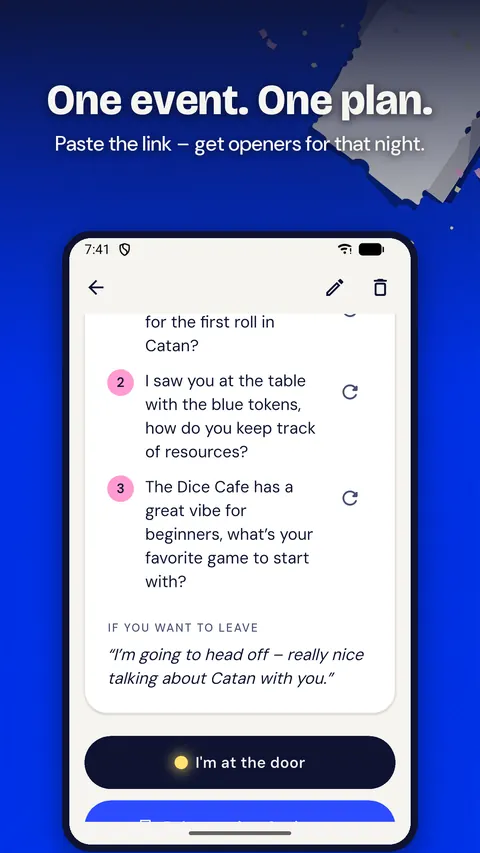
App screen: a plan for a Catan board-game night with three openers, under the headline "One event. One plan."

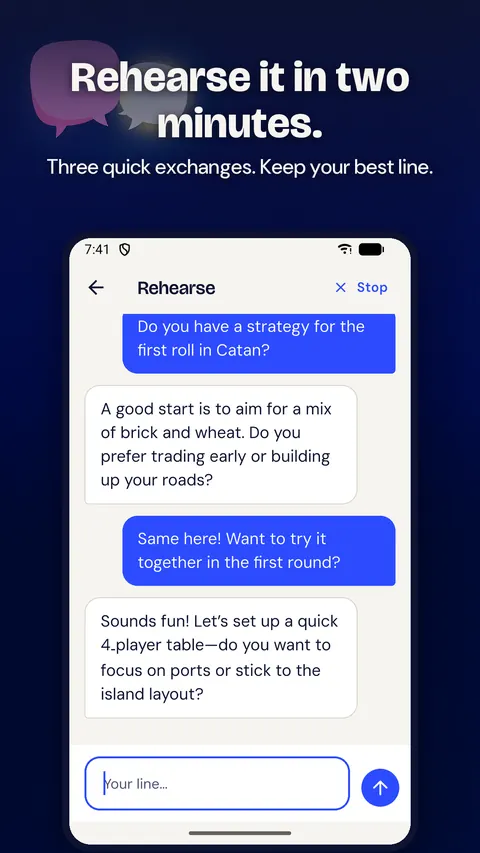
Rehearse it in two minutes.

The AI plays someone you'll meet there. Three quick exchanges and you leave with your own line – saved for later. Pick how chatty they are: warm, neutral or a bit busy. Stop whenever you like.

App screen: a short rehearsal chat with Luca, exchange two of three, under the headline "Rehearse it in two minutes."

Door mode.

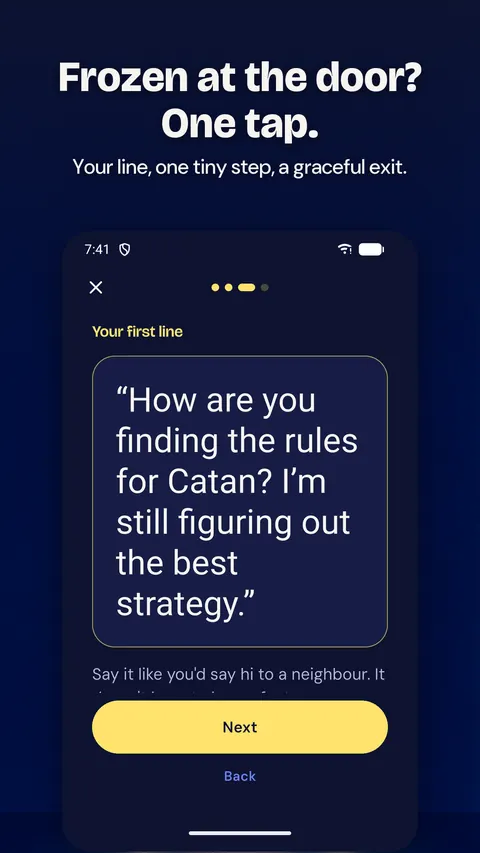
One tap when you freeze outside: your opener, one tiny first step, and a graceful exit if you need it. Permission to leave makes it easier to go in.

App screen: door mode with one tiny first step, under the headline "Frozen at the door? One tap."

The day after, one message.

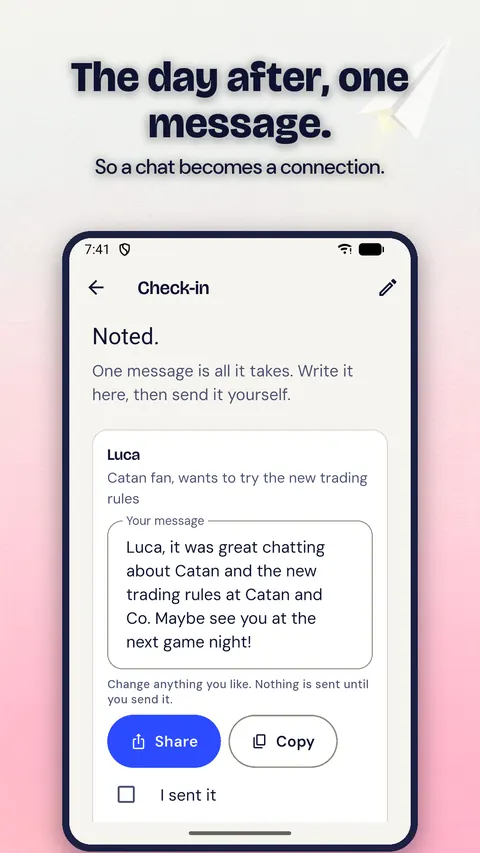
Note who you met and get one easy message to send – so a chat becomes a connection. A two-tap check-in, no diary, no scores.

App screen: the day-after check-in with a message draft for Luca, under the headline "The day after, one message."

Private by design.

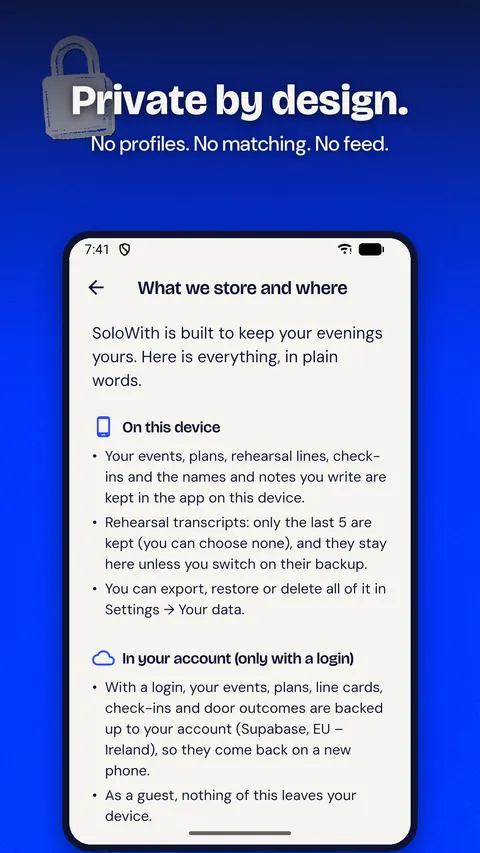
No profiles, no matching, no feed – nobody can find you through SoloWith. Your events stay yours, and you can export or delete everything at any time. Start as a guest; add a login only if you want a backup.

App screen: "What we store and where", the privacy overview, under the headline "Private by design."

How it works

About five minutes, most of it before you leave the house.

  1. Paste an event link or a few lines about it – or take a photo of the poster.
  2. Check the details and choose what would make it a good night.
  3. Get your plan: the vibe, when to arrive, three openers and an exit line.
  4. Rehearse once, get a reminder with your line, and open door mode when you arrive.
  5. Next morning: one tap on how it went, and one message to send.

Why not just ask a chatbot – or take a course in Gleam?

Both are fine tools. They just solve a different problem than the one you have on Thursday night.

A general chatbot

It can write openers if you paste the details and ask the right way. But it won't remind you before you leave, it isn't one tap away when you freeze at the door, and it won't check in the next morning. The hard part is the timing, not the text.

Course apps like Gleam

They teach social skills in general, with lessons and levels over weeks – good if you want a curriculum. SoloWith starts from the one event you've already said yes to and gets you through it in a few minutes.

SoloWith

  • A plan for the real event, from its link or poster
  • A rehearsal with someone you'd meet there
  • Door mode, one tap away – always free
  • One message to send the day after
  • No streaks, no scores, no profiles

Free to start. Pro if you go out a lot.

The signature moment is free – no account, no card.

Free

No account needed

  • 2 event plans a month
  • Rehearsals
  • Door mode – free for good
  • Reminders and the day-after check-in
  • All your data: export or delete any time
  • Watch a short video for an extra plan when you need one

SoloWith Pro

Monthly or yearly

  • Unlimited plans and rehearsals at every intensity
  • Three follow-up message variants in your tone
  • Your full history
  • Cancel anytime in Google Play

Prices are shown in the app and on Google Play, in your currency.

Practice, not therapy.

SoloWith is practice for social moments, not therapy, and it doesn't diagnose or treat anything. If things feel heavy, the app shows free, confidential help lines. It never pressures you to go, never matches you with strangers and never tracks your location.

If you're in crisis right now, please call your local emergency number (112 in the EU, 911 in the US) or one of these free lines:

Questions

Is SoloWith free?

Yes. Free covers 2 event plans a month, rehearsals, door mode, reminders, the day-after check-in and all your data – no account needed. Watch a short video for an extra plan when you need one. SoloWith Pro adds unlimited plans and rehearsals, three message variants and your full history.

Which events does it work with?

Any social event you're going to: a board-game night, a language exchange, a run club, your first meetup in a new city. Paste a public Meetup, Eventbrite or Facebook event link, take a photo of the poster, or type a few lines about it.

Do I need an account?

No. Start as a guest – everything works on your phone. Add a login only if you want a backup or to use SoloWith on another device.

Can other people see me or find me?

No. There are no profiles, no matching and no feed – nobody can find you through SoloWith. It's a tool for you, not a social network.

What happens to my event data?

Your events, plans and notes are stored on your device. With a login, they're backed up in the EU. To create a plan, the text it needs is sent through our server to an AI provider; we don't store it. You can export or delete everything at any time – details in the privacy policy.

What is door mode?

One tap when you're outside and about to turn around: your saved opener, one tiny first step and a graceful exit if you need it. Door mode is free for good.

How does the rehearsal work?

The AI plays someone you'd meet at that event. You trade three quick lines, pick how chatty they are (warm, neutral or a bit busy) and keep your best line for the reminder and door mode. You can stop at any time.

Is SoloWith therapy?

No. It's practice for social moments and doesn't diagnose or treat anything. If you describe a crisis, the rehearsal stops and the app shows free, confidential help lines.

Is there an iPhone or web version?

SoloWith starts on Android. A web app is on the way, so it will also run in the browser on any phone or computer.

Which languages does SoloWith speak?

English, German, Spanish, French, Portuguese (Brazil) and Italian – the app, the plans and the rehearsals.

Got something coming up?

Paste the link – we'll take it from there. Go solo. Walk in ready.

Pre-register onGoogle PlayComing soon